





-
 Pick up from the Woodmart Store
-
 Courier delivery
-
 DHL Courier delivery







 Pick up from the Woodmart Store
Courier delivery
DHL Courier delivery
Pick up from the Woodmart Store
Courier delivery
DHL Courier delivery
 Warranty 1 year
 Free 30-Day returns

Price: ₹2,699 - ₹1,499.00
(as of Nov 02, 2025 20:44:17 UTC – Details)
Product Description
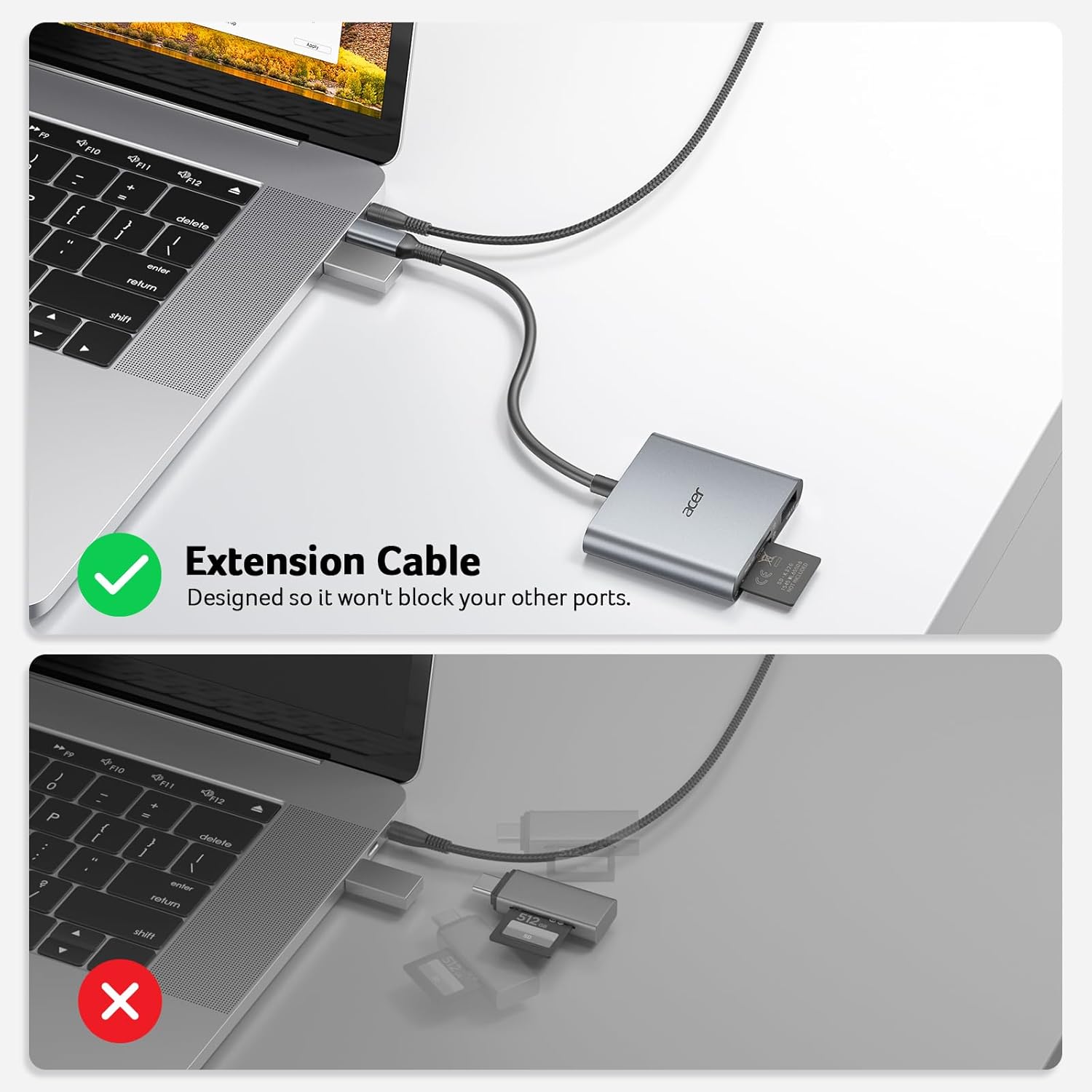
Acer 3-in-1 SD Card Reader – USB 3.0 Port for Ultra-Fast Transfers 


Troubleshooting 
Before Use Please make sure memory cards are inserted in the correct direction. (✔) USB-C Phones iPhone 17 / 16 / 15 Pro Max / Pro; 𝗦𝗮𝗺𝘀𝘂𝗻𝗴 Galaxy S25 / S24 / S23 / S22 / S21+ / S21 Ultra / S20 / S20+ / S20 Ultra / S10e / S10 / S10+ / S8 / S8+ / S9 / S9+, Note 8 / 9 / 10+; HUAWEI P50 / P40 / P30 / P30 Pro / P20, Mate30 / 20 / 20RS / 10; HTC 10 / U11 / U12; Pixel 2 Pixel C, Nexus 5X 6P, Pixel 6 / 5 / 4 / 4XL / 4a / 3 / 3XL / 2 / 2 XL, etc. (✔) USB-C Tablets iPad Pro M2, M1, 2022, 2021, 2018, 2020 (11″, 12.9″); 𝗦𝗮𝗺𝘀𝘂𝗻𝗴 Galaxy Tab S8 / S7 / S6 / S5e / S4 / S3, Tab A 8.0 & S Pen (2019) / Tab A 10.5 (2018) / Tab A 8.0 (2017), Galaxy Book 12”; Huawei MediaPad M6, M5, Lenovo Yoga Tab 3 plus etc. (✔) USB-C Laptops MacBook Pro M4 / M3 / M2 / M1 / 2020 / 2019 / 2018 / 2016 / 2015, MacBook Air 2022 / 2021 / 2018 / 2020; Acer Swift X / 5 / 3 / Edge 16 / Go 14, Aspire 5 / 3; Huawei Matebook 14 / X Pro; Xiaomi Pro 16 / 15 Book; 𝗟𝗲𝗻𝗼𝘃𝗼 X1 Book, ThinkPad; Dell XPS 17 / 15 / 13; Surface Book 2 / Go; Google Pixelbook / Pixelbook Go (✔) SD SDHC, SDXC, RS-MMC (✔) microSD microSD, microSDHC, microSDXC (✔) USB 3.0 Port Camera, Flash Drive, Keyboard and Mouse ✘ Incompatible (✘) iPad / iPhone (with lightning ports), Sim Card, Bank Card, or IC Card. (✘) USB-A Host Devices. Tip 1 Data transfer rates are subject to the speed of the memory card itself and your device’s USB C ports. Tip 2 If you fail to transfer large files, please try to format the SD/MicroSD cards to the right format for your devices. Recommend using MS-DOS (FAT) for 32GB or smaller cards, and exFAT for 64GB cards. Tip 3 Devices with USB 2.0 port would only run at 480Mbps. Read UHS-II cards at UHS-I speed (Sync Speed up to 104 MB/s). Tip 4 How to find files on iPhone? – Insert the SD card into the reader. >>> Plug the device card reader into the iPhone (TYPE-C). >>> Click on the “FILES” app >>> Click on iCloud Drive’s “Browse” >>> Click on Browse’s SD card name >>> Now you can view your files from your SD card on “Your SD card name”. Tip 5 Unable to recognize the Card Reader on macOS? – “Settings” – “Privacy & Security” – “Security” – “Allow accessories to connect” – “Always” !!Notes If you’re unsure or have any questions, feel free to reach out. Our support team is here to help.
Acer USB C SD Card Reader with USB 3.0 Port
 Overview
 Processor
 Display
 RAM
RAM
 Storage
 Video Card
 Connectivity
 Features
 Battery
 General
In stock
In stock
In stock


Reviews
Clear filtersThere are no reviews yet.